
Ordering screen printed shirts in multiple sizes and colours can lead to pricing, stock and artwork errors when the order is not clearly organised. Incorrect size totals, colour breakdowns or print instructions may cause quote changes, production delays or costly reprints.
This guide explains how to confirm shirt sizes, garment colours, quantities, print locations and artwork requirements before production. For accurate advice and reliable screen printing, contact Custom T Shirt Printing Online on 0422 440 029.
Bulk screen printed T shirt orders can become confusing when one design must be produced across several sizes, quantities and garment colours. Incorrect size breakdowns, unclear artwork or unsuitable colour combinations can delay production and create avoidable errors. This guide from Custom T Shirt Printing Online in Brisbane explains how to prepare the order correctly before payment.
Choose one garment style and brand, then add each required size and quantity to the cart separately. Upload the artwork, position it in the online design tool and confirm whether printing is required on the front, back or sleeves. Orders of five or more shirts receive the applicable bulk discount. Larger or more complex orders can be reviewed by Custom T Shirt Printing Online before production.
This process helps businesses, teams and event organisers maintain consistent artwork placement across the complete order. Standard bulk screen printing orders generally require about two weeks after the artwork, mockup and payment are approved. Delivery or available pickup options can then be selected at checkout.
For help choosing garments, confirming quantities or preparing artwork, email Custom T Shirt Printing Online or call 0422 442 029 before placing the order.
>> Email Us Directly for Help >>
Use one garment style and brand where possible to maintain consistent fabric, fit and print quality across the order.
Enter the exact quantity required for every size. Add each size variation separately so the cart and production order show the correct breakdown.
Choose shirt colours that provide enough contrast with the design. Separate order groups may be required when different garments need different print colours.
Upload clear, print ready artwork and check its size and placement before approving the mockup. The approved design will then be applied consistently across that order group.
State whether printing is required on the front, back or sleeves. Provide the intended print dimensions in centimetres because additional print areas affect pricing and production.
Check all sizes, colours, quantities, print positions and mockups before paying. Contact Custom T Shirt Printing Online if anything is unclear so corrections can be made before production begins.
Screen printing works best when:
If individual names, colours or designs change between shirts, screen printing may not be the most practical or cost-effective option. DTG printing may be recommended for detailed artwork on cotton shirts, while DTF printing is often better for personalised designs, mixed garment colours and a wider range of fabrics.
Choosing the wrong printing method can increase production costs or affect the finished result. Contact Custom T Shirt Printing Online on 0422 442 029 for advice on the most suitable printing method for your artwork, garment type and order quantity.
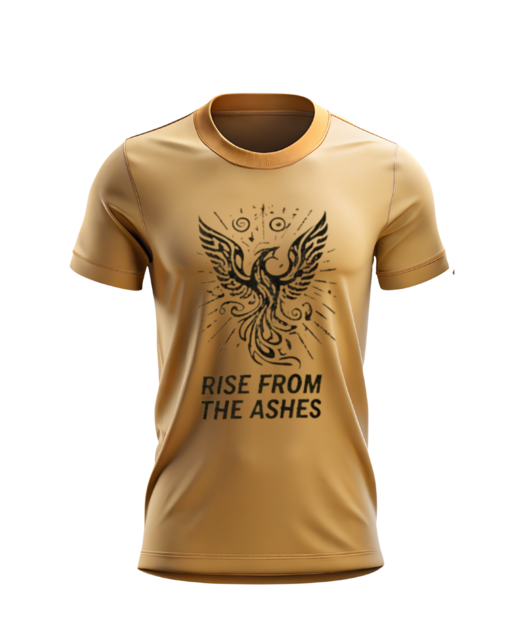
Keep One Garment Style for More Consistent T Shirt Printing
Mixing different garment brands or styles in one order can create variations in sizing, fabric thickness, colour and print appearance. For more efficient production and predictable results, select one garment style and brand, then choose the sizes and available colours you need within that same product range.
For example:
Using one garment style helps keep the fit, pricing, print placement and finished print quality consistent across the entire order. It can also make artwork approval, production and future reorders easier.
For help choosing the right garment for your design, quantity and budget, contact Custom T Shirt Printing Online on 0422 440 029.
Prepare a complete shirt size breakdown before placing your screen printing order. Missing sizes or inaccurate quantities can affect garment availability, pricing and the production schedule.
Example size breakdown:
Total shirts to be screen printed: 60
List each garment size and quantity separately. If your order includes unisex, women’s, children’s or different shirt styles, provide a separate size breakdown for each garment because sizing and measurements can vary between products.
A confirmed size breakdown allows accurate screen printing prices, helps us check garment stock and reduces the risk of production delays or incorrect shirts being supplied. Custom T Shirt Printing Online can review your quantities and recommend suitable garments before printing begins. Call 0422442029 for assistance with your order.
You can choose multiple shirt colours within the same garment style. The main issue is ensuring your printed design remains clear, accurate and easy to read on every garment colour.
Important considerations:
Before ordering, ask Custom T Shirt Printing Online to recommend the best garment and ink colour combination for your design. Call 0422 442 029 for printing advice or a quote.
Can I order the same printed design on different shirt colours?
Yes. You can choose multiple shirt colours within the same garment style. However, the artwork and ink colours must remain clear and readable across every garment colour selected.
Important considerations:
To avoid poor contrast, inaccurate colours or unnecessary setup costs, ask Custom T Shirt Printing Online to review your garment colours and artwork before ordering. Call 0422 442 029 for practical printing advice.
To receive an accurate custom T shirt printing quote and avoid delays, provide the following details when requesting a quote or placing an order:
Missing information can lead to inaccurate pricing, artwork changes and production delays. Clear order details help Custom T Shirt Printing Online recommend the right garment and printing method, prepare an accurate quote and reduce unnecessary revisions.
For help preparing your order, call Custom T Shirt Printing Online on 0422 442 029.
Screen printing works best when garments use the same artwork, print size and colour setup. Common problems that can increase costs or delay production include:
Providing complete order details and print-ready vector artwork helps control costs, maintain print quality and keep production on schedule. Custom T Shirt Printing Online can check your garments, artwork, quantities and print requirements before production begins, helping you avoid preventable mistakes.
For screen printing advice or a tailored quote, call Custom T Shirt Printing Online on 0422 440 029.
Screen printing may not be the best option if:
For these orders, DTG or DTF printing may provide greater flexibility and better value. Custom T Shirt Printing Online can recommend the most suitable print method based on your artwork, garment type and order quantity. Call 0422 442 029 for advice.
Bulk custom T-shirt orders can become delayed or cost more when shirt sizes, artwork, garment colours and approval deadlines are not confirmed before production.
Good preparation reduces printing errors, avoids unnecessary delays and helps control the total order cost. Contact Custom T Shirt Printing Online on 0422 442 029 for help choosing suitable garments, print methods and artwork specifications before ordering.
Yes. Small, medium, large and extended sizes can be combined in one screen printing order when the same artwork, print size and ink colours are used. Provide the exact quantity required for each size so garment availability, pricing and production can be confirmed accurately.
Men’s, women’s and children’s garments can sometimes be included in the same order, but each garment style should have a separate size and quantity breakdown. Different garment shapes and print areas may require the artwork to be resized or repositioned before production.
Artwork may need to be reduced for children’s shirts because a print designed for an adult garment can appear too large on a smaller shirt. The printer should confirm the maximum print width for each garment group and provide separate mockups when different print sizes are required.
Yes, provided the ink remains clear and readable against every garment colour. If one ink colour does not provide enough contrast across light and dark shirts, separate ink colour setups or a white underbase may be required.
Some extended garment sizes can cost more because the blank shirt price may increase above standard sizes. The screen printing investment usually depends more heavily on the total quantity, number of ink colours, print locations and artwork setup than the shirt size alone.
Vector artwork supplied as an AI, EPS or print-ready PDF file is generally best for screen printing because it can be resized without losing quality. High-resolution PNG files may need to be reviewed or converted before screens can be prepared.
A standard bulk screen printing order generally takes about two weeks after the artwork, mockup, garment selection and payment have been approved. Complex colour combinations, artwork changes, stock availability or additional print locations can increase the production time.
Provide the total quantity, garment style, colour breakdown, quantities per size, artwork file, print locations and required print dimensions in centimetres. You should also include your delivery deadline, suburb, postcode and whether the order will be shipped or collected.
Need help organising a multi-size or multi-colour order? Custom T Shirt Printing Online can review your garments, size breakdown, artwork and print requirements before production. Call 0422 442 029 or request a personalised screen printing quote.
Planning multi-size and multi-colour screen printed shirts can become confusing. You need to consider shirt quantities, garment colours, artwork quality, print locations, production time and the total investment before placing your order. Use the following resources to compare your options and avoid choosing an unsuitable printing method.
Continue planning your screen printing order:
A structured ordering process helps prevent artwork errors, incorrect garment choices, unexpected costs and production delays. For guidance from artwork preparation through to final printing, ask Custom T Shirt Printing Online to manage your order. Call 0422 442 029 or request a personalised quote today.
