
Ordering screen printed shirts should be straightforward, but the process can become confusing when you need to choose garments, shirt colours, artwork files, print colours, print positions, quantities and delivery dates. The wrong choice can lead to poor print quality, incorrect sizing, delays or unnecessary costs. Whether you need screen printed shirts for a business, school, sports team, event, memorial, family celebration or promotion, the goal is the same: durable shirts that match your design, budget and deadline.
Custom T Shirt Printing Online helps customers in Brisbane and across Australia make these decisions before production begins. We review the quantity, garment type, fabric colour, artwork quality, number of print colours, image size, print placement, turnaround time and delivery or pickup requirements. This identifies artwork or order issues early and helps us recommend a practical screen printing setup.
For a simple order with print ready artwork, you may be able to order through the online cart. For larger orders, multiple print positions or jobs needing artwork assistance, request a tailored quote. Claude and the team will confirm the specifications and guide the order from quote and artwork approval through to printing and delivery.
Get Custom T Shirt Printing Online to handle the printing so your order is planned correctly, priced for the actual requirements and produced to the approved specifications. Call 0422 440 029 or request a tailored screen printing quote from Custom T Shirt Printing Online.
Most people start with a simple goal. They want quality shirts with their logo, message or artwork printed properly and delivered on time. The problem is that many buyers are not print specialists, so they are expected to make decisions about shirts, fabric, colours, file types and print sizing without really knowing what works best.

Many custom T shirt printing orders go wrong because the garment, artwork and print method are considered separately. A shirt may look suitable online but use fabric, sizing or colour that does not match its purpose. Detailed artwork may lose clarity on the wrong shirt colour, while a low resolution PNG or JPEG can print with blurred edges. Price comparisons can be misleading when they involve different garments, print sizes, placements or turnaround times.
You should not have to guess which shirt or printing method will produce the best result. Custom T Shirt Printing Online reviews the garment, artwork quality, image size, placement, quantity and deadline before recommending DTG, DTF, screen printing, sublimation or embroidery. This process helps you avoid unsuitable choices, understand the printing investment and receive shirts that suit your purpose, budget and delivery requirements.
For advice or a quote, contact Custom T Shirt Printing Online:
Custom T Shirt Printing Online
12 Mumbil Street, Stafford Heights, Brisbane, QLD.
Tel: 0422442029
Before placing a custom T shirt order, most customers are managing several concerns at the same time. They are not simply choosing a shirt. They need to select the right garment, printing method, artwork size, print position, colours, quantities and delivery timeframe.
Without clear advice, these decisions can lead to poor print quality, unsuitable garments, production delays or unnecessary spending. Customers should not need printing experience to receive shirts that suit their event, business, team or family.
Some customers are unsure whether their artwork is suitable for screen printing, DTG printing, DTF printing or embroidery. Detailed photographs may work well with DTG while bold designs ordered in larger quantities may be better suited to screen printing. DTF printing can be a practical option for detailed, full colour artwork on a wider range of garment colours and fabrics.
The size and position of the design also affect the finished result. Custom T Shirt Printing Online can review the artwork, recommend an appropriate print method and advise whether the design needs to be simplified, enlarged or adjusted before production.
Customers often want to know how the shirt will feel, how accurately the design will print and how the finished garment will perform after repeated washing. The answer depends on the garment fabric, garment weight, print method, artwork quality and intended use.
A cost effective shirt may suit a one day event, fundraiser or funeral service. A heavier or premium garment may be more appropriate for staff uniforms, branded merchandise, trade work or clothing that will be worn regularly. Choosing the correct garment is just as important as choosing the printing process.
Colours displayed on a phone or computer screen may not look identical when printed onto fabric. Screen brightness, colour settings, garment colour, fabric type and the supplied artwork file can all influence the final appearance.
Dark garments may require a white ink base while lighter garments can produce a different colour result. Reviewing a digital mockup before printing helps confirm the design position, approximate scale and overall colour combination before production begins.
Custom T shirt printing prices are normally based on more than the number of shirts ordered. The garment brand, order quantity, print method, number of print locations, artwork dimensions, required turnaround and artwork preparation can all affect the final investment.
A shirt printed on the front only will usually have a different price from a shirt printed on the front, back and sleeves. A tailored quote clearly explains what is included so the customer can compare suitable options without making assumptions about the final cost.
T shirt sizing is not identical across every garment brand or style. A unisex regular fit, women’s fitted shirt, oversized shirt, polo, hoodie and children’s garment can each use different measurements and proportions.
Customers ordering for workplaces, sporting teams, events, cruises or family groups should compare the garment size chart with a shirt they already own. Chest width and body length measurements are more reliable than choosing a size based only on labels such as small, medium or large.
Low resolution images, screenshots and artwork copied from websites may appear blurry or pixelated when enlarged for garment printing. Print ready artwork is generally supplied as a high resolution PNG, PDF, AI or EPS file. Vector artwork is particularly useful for logos, text and screen printing because it can be resized without losing clarity.
When artwork is not ready, Custom T Shirt Printing Online can explain what needs to be corrected or prepare the file for printing. Any artwork investment can then be included clearly in the quote before the order proceeds.
Many delays happen before printing begins. Missing sizes, incomplete quantities, unsuitable artwork, unanswered questions and delayed mockup approvals can prevent an order from moving into production.
A clear ordering process reduces these problems. Customers should provide the required quantities, garment colours, sizes, artwork, print locations, preferred image dimensions and required delivery date as early as possible.
Custom T Shirt Printing Online helps customers choose an appropriate garment, print method and artwork setup before production begins. Smaller straightforward orders can be placed through the online shopping cart. Larger orders, urgent jobs or orders with multiple print locations can be reviewed through a tailored quote.
Once the quote is approved, a digital mockup is supplied for checking. After the mockup is approved and payment is completed, the order can move into production with the agreed specifications recorded.
For help with custom printed T shirts, work shirts, event shirts, funeral shirts, cruise shirts or business uniforms, contact Custom T Shirt Printing Online on 0422 442 029. Getting advice before ordering can prevent incorrect garments, unsuitable artwork, avoidable delays and unnecessary printing costs.
Ordering custom printed T shirts can become confusing when you are unsure which garment, print method, artwork format, print size or placement will produce the best result. You do not need a printer who simply accepts the order and hopes everything works. You need a printing guide who checks the important details before production begins.
Custom T Shirt Printing Online, located at 12 Mumbil Street in Stafford Heights, Brisbane, helps customers choose the right printing option based on their artwork, shirt quantity, garment fabric, print locations, budget and required completion date. We can also advise whether DTG, DTF, screen printing, sublimation or embroidery is more suitable for the order.
Simple orders can be placed through the online shopping cart. Larger, urgent or more complex orders are handled through a tailored quote that considers garment sizes, artwork preparation, front and back printing, pickup and shipping requirements.
This planning reduces pricing surprises, incorrect print sizes, unsuitable garments and production delays. Contact Custom T Shirt Printing Online on 0422 440 029 for practical advice and a properly planned custom T shirt printing order.
Ordering screen printed T shirts can become stressful when shirt quantities, garment choices, artwork quality, print locations, image sizes, turnaround times and delivery requirements are unclear. Following a clear process helps prevent unsuitable garments, incorrect print placement, unexpected costs and missed delivery deadlines.
Custom T Shirt Printing Online keeps the screen printing process simple and practical. Place straightforward orders through the online cart. For bulk orders, multiple print areas or artwork that needs checking, request a tailored quote or call 0422 442 029. We review your shirt quantity, garment type, artwork, print size, placement, deadline and shipping requirements before recommending the most suitable printing approach.
Ordering custom printed T shirts can become confusing when you are unsure about garment styles, artwork requirements, print sizes, printing methods or delivery times. The following three-step process helps you provide the right information, approve the design and move your order into production without unnecessary delays.
If your artwork is ready and your printing requirements are straightforward, ordering through the online shopping cart may be the fastest option. This generally suits smaller orders with one garment style, one print location and clearly prepared artwork.
For bulk T shirt printing, mixed garment orders or jobs with printing on the front, back or sleeves, send your requirements through the website. Custom T Shirt Printing Online can then review the complete job and recommend a suitable garment and printing method.
Include the quantity, garment style, shirt colours, sizes, print locations, required print dimensions, artwork file, delivery location and deadline. You should also explain whether you need assistance preparing or adjusting the artwork. Providing these details early helps prevent inaccurate quotes, unsuitable print sizes and avoidable production delays.
Your quote is prepared using the actual requirements of the order. The price may be affected by the number of garments, garment brand, number of print areas, print dimensions, selected printing method, required turnaround time and any artwork preparation investment.
After you approve the quote, a digital printing mockup is prepared for review. The mockup shows the proposed artwork position, approximate print size and how the design will appear on the selected garment.
Check the spelling, colours, artwork proportions, front and back placement and garment details carefully. Production does not begin until the mockup has been approved, giving you an opportunity to request necessary corrections before the shirts are printed.
Once the mockup is approved and payment has been received, the order moves into production. The approved details are used to create the job order so the printing team can follow the confirmed garment quantities, sizes, artwork dimensions and print placements.
After printing and quality checking are complete, the shirts are prepared for collection or shipping. Following this process reduces sizing mistakes, unclear artwork placement, unsuitable garment choices and unexpected printing costs.
For help planning your order, contact Custom T Shirt Printing Online on 0422 442 029. Getting advice before production is the best way to choose the correct shirt, printing method and artwork setup for your budget, deadline and intended use.
Not every custom T shirt printing order should follow the same process. A simple order can usually be placed directly through the online cart. A larger, urgent or more detailed order may require a tailored quote to confirm the garments, printing method, artwork, print positions, turnaround time and delivery requirements. Choosing the correct ordering option helps prevent artwork problems, incorrect pricing and production delays.
Use the cart when your order is small, straightforward and ready for production. This is the fastest option when you already know the garment style, colours, sizes, quantities and print positions required.
Your artwork should be correctly prepared at the required resolution and ready to print without changes to the layout, colours or image size. Online checkout also works well for repeat orders where the garment and approved design have already been confirmed.
Request a tailored quote when your order includes larger quantities, multiple garment styles, several print areas or different artwork sizes. A quote allows Custom T Shirt Printing Online to review the complete job and recommend the most suitable printing method, garment and production process.
A tailored quote is usually the better option for business uniforms, event shirts, funeral shirts, promotional clothing and group orders. It is also recommended when you need artwork assistance, garment advice, urgent printing or help planning shipping or pickup.
If you are unsure which ordering method suits your job, call Custom T Shirt Printing Online on 0422 442 029 before placing the order.
To receive a faster and more accurate custom T shirt printing quote, send the main order details with your first enquiry. Missing quantities, garment types, print locations, artwork or deadline information creates unnecessary back and forth. The details below help Custom T Shirt Printing Online understand the job, recommend the right printing method and prepare a quote based on your actual requirements.
Provide the total quantity of shirts or garments required. Quantity affects garment sourcing, production setup, printing method and bulk pricing. If the final number is not confirmed, send your best estimate or a likely quantity range.
Tell us whether you need T shirts, polos, hoodies, work shirts, singlets, children's garments or another product. A budget event shirt may suit a one day promotion while a better quality garment may be more appropriate for uniforms or branded merchandise. Garment choice also affects comfort, sizing and print compatibility.
Include the preferred shirt colour and any acceptable alternatives. Garment colour affects design contrast, ink appearance and whether the artwork needs adjustment. Clear colour information helps us identify suitable stock and avoid a design combination that is difficult to read.
Send the quantity needed in each adult, youth or children's size where possible. A mixed size order is normal, but the size breakdown helps us check stock availability and choose garments with the required range. If sizes are not confirmed, provide an estimate and update it before production approval.
List every print position, such as the left chest, full front, upper back, full back or sleeve. Each print area requires separate sizing and production setup, so it affects the quote. Clear placement details also help the digital mockup reflect the expected result.
Provide the preferred width and height in centimetres for each print area. A small chest logo has different requirements from a large front or back design. If you are unsure, describe the intended look and we can recommend a practical size.
Attach the best available artwork file. Vector files such as AI, EPS or print ready PDF files are useful for logos, while a high resolution PNG may suit detailed or photographic artwork. We can review the file and advise whether artwork preparation is required before printing.
Provide the exact date the printed garments must be received. This allows time for quoting, artwork review, mockup approval, payment, production and delivery. An urgent deadline may require a different production option, garment choice or shipping method.
State whether the order will be collected or shipped and include the delivery suburb and postcode. Freight cost and delivery time depend on the destination, carton size and service selected. Supplying this information early keeps the quote aligned with the complete order.
Incomplete information can cause delays, unsuitable garment choices or price changes when missing details are added. Custom T Shirt Printing Online reviews the quantity, garment, artwork, print areas, deadline and delivery requirements before recommending the best production path. Call 0422 442 029 or send your order details through the website.
Many customers want to know exactly what happens after they approve a custom T shirt printing quote. Unclear production steps can cause delays, missed deadlines and uncertainty about how the finished shirts will look. A clear approval process ensures the artwork, print size, garment placement and delivery details are confirmed before printing begins.
After the quote is approved, Custom T Shirt Printing Online prepares a digital mockup showing how the artwork is expected to appear on the garment. The mockup allows you to check the design layout, print dimensions, colours and placement before the order enters production. Any required corrections should be requested at this stage.
Once the mockup is approved, the order details are confirmed and payment is completed. The approved artwork, garment quantities, sizes, colours, print locations and delivery method are then recorded on the job order. Confirming these details accurately helps prevent production errors and unnecessary delays.
The order moves into production after the artwork approval and payment requirements have been completed. Production time depends on the printing method, garment availability, order quantity and artwork complexity. Screen printing orders generally require around three weeks because screens must be prepared, colours aligned and each print cured correctly.
When printing is complete, the garments are checked against the approved order details before being packed. The completed shirts are then prepared for collection or dispatched using the selected shipping method. This process gives customers a clear timeline for planning business uniforms, events, memorials, promotions or team rollouts.
For reliable custom T shirt printing with clear artwork approvals and production guidance, contact Custom T Shirt Printing Online on 0422 442 029.
Screen printing mistakes usually happen when the garment, artwork, print size, placement or deadline is not confirmed before production. A clear ordering process helps prevent delays, unexpected costs and printed shirts that do not match your intended result.
The cheapest T shirt is not always the best choice for screen printing. Fabric weight, cotton content, fit, colour and intended use can affect how the shirt feels and how well the ink performs. Choose a garment that suits the event, workplace or promotional purpose rather than selecting only by price.
An image that looks clear on a phone or computer may still be unsuitable for screen printing. Low resolution files, small images and artwork with too many colours may require adjustment or redrawing. Vector files such as AI, EPS or print ready PDF files usually produce cleaner edges and more accurate colour separations.
Production cannot begin until the artwork, garment colours, print positions and mockups are approved. Delayed approvals can affect the printing schedule and delivery date. Check every name, number, colour and design element carefully then respond promptly when timing is important.
A print that is too small may be difficult to read while an oversized print can dominate the garment or sit awkwardly across seams. Confirm the required width and height in centimetres for each print area. Review the mockup to make sure the design is positioned correctly on the front, back or sleeves.
Screen printing normally requires a separate screen for each ink colour. Artwork with several colours may increase setup requirements and production investment. Reviewing the design early can identify whether colours should be simplified or whether another printing method may suit the order better.
Tell the printer the required delivery date before approving the order. Shirts needed for a launch, fundraiser, staff rollout, funeral or family event require enough time for artwork preparation, approvals, printing, quality checks and shipping. Early planning also allows the correct production method to be selected.
Custom T Shirt Printing Online can review your garment choice, artwork, print colours, placement, quantity and deadline before the job moves into production. This reduces guesswork and helps you order screen printed shirts that suit your purpose, budget and delivery requirements. Call 0422 440 029 to discuss your order and arrange the most suitable printing process.
Screen printing is usually the right choice when you need 20 or more garments, use the same artwork across the order and have a design with only a few solid colours. It is well suited to event T shirts, work uniforms, club apparel and other bulk orders where consistent colour, print durability and cost per garment matter. Custom T Shirt Printing Online can check your artwork, quantity and print placement to confirm whether screen printing is the most practical and cost-effective method for your order.
A well planned custom T shirt printing order removes uncertainty before production begins. You know which garment suits the purpose, which printing method matches the artwork and how the design will be positioned. You can review the digital mockup, confirm the sizes and colours and approve the order with confidence.
This process helps prevent common problems such as choosing the wrong shirt, using unsuitable artwork, missing a delivery deadline or paying for a printing method that does not suit the quantity. The result is a smoother path from the original idea to finished shirts that look right, feel comfortable and support the event, business or occasion they were ordered for.
Screen printing is generally more cost effective as order quantities increase because the initial screen setup is spread across more garments. The number of print colours, print locations, garment type and artwork complexity can also affect whether screen printing is the best option.
As a general screen printing quantity guide:
Custom T Shirt Printing Online can review your quantity, artwork, garment choice and deadline before recommending the most suitable printing method. Call 0422 442 029 to discuss your order before production begins.
If you’re unsure, you can review real examples on the Pricing Page.
This screen printing order process is designed for customers who need clear advice before approving custom printed shirts. It is particularly useful when an order involves multiple sizes, specific print locations, firm delivery dates or artwork that must be checked before production. Following a guided process reduces mistakes and helps you choose the right garment, print size, ink colours and order quantity.
Businesses ordering branded shirts need garments that suit the working environment and present the brand professionally. The shirt style, fabric weight, logo position and print dimensions should be confirmed before production. A tailored screen printing quote provides clear information about quantities, garment options, print locations and turnaround times.
Event shirt printing often involves fixed deadlines, bulk quantities and artwork that must remain consistent across every garment. Confirming the shirt sizes, print colours, artwork and delivery date early helps prevent rushed decisions. Clear mockup approvals also reduce the risk of errors before the event begins.
School, club and sports shirt orders usually include mixed sizes, several organisers and a larger number of garments. A structured ordering process keeps the size list, artwork approval and payment requirements organised. It also ensures the screen printed design appears in a consistent position across adult and children’s shirts.
Personalised T shirts and photo printed shirts for family occasions often carry emotional importance. Buyers may need help selecting a suitable garment, improving the supplied artwork and choosing a printing method that reproduces the design clearly. A respectful approval process gives the family confidence before printing begins.
Shirts representing a business, organisation or personal brand need to look professional and remain comfortable enough to wear regularly. Garment quality, artwork resolution, ink coverage and print placement all affect the final result. Planning these details properly protects your brand image and reduces the risk of ordering merchandise people will not wear.
Choosing shirts without checking garment suitability, artwork quality and print dimensions can lead to poor results or unnecessary costs. Custom T Shirt Printing Online can review your requirements and recommend a practical screen printing setup based on your quantity, deadline and intended use. Call 0422 442 029 to discuss your custom shirt printing order before production.
Need custom shirts featuring a name, photograph or personal design? Learn about our personalised T shirt and photo printing services, including garment choices, artwork requirements and suitable printing methods.
Planning shirts for a festival, fundraiser, conference or community event? Explore our bulk event shirt printing service for help with quantities, print locations, artwork approval and delivery deadlines.
Choosing the wrong garment, artwork file, print size or printing method can lead to poor print quality, unexpected costs and production delays. At Custom T Shirt Printing Online, we help customers confirm the shirt style, fabric, artwork quality, print dimensions, placement and order quantity before printing begins. This makes it easier to decide whether screen printing or another print method is best suited to the design, budget and required turnaround.
You do not have to guess which printing option suits your order. We explain the available choices, identify possible artwork or sizing problems and provide clear pricing before production. This practical process helps you order custom printed shirts that suit the occasion, remain within budget and reproduce your design accurately.
View screen printing prices and compare the best option for your custom shirt order.
Tremendous experience with Claude. A lot of chipping and changing from my end but his patience was nothing short of amazing. Will be back in the future. ~ Jordan Hales
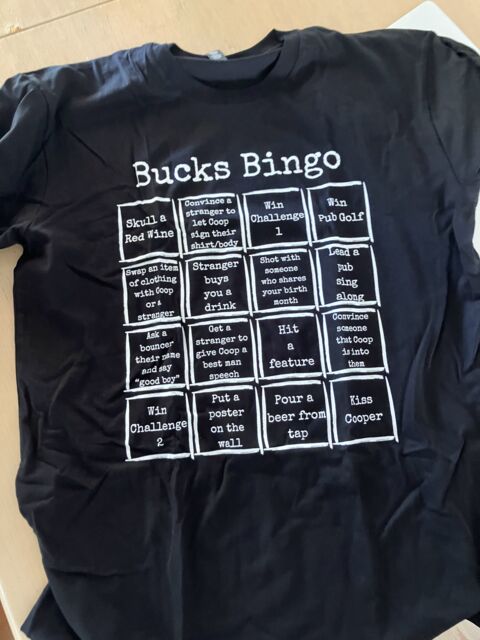
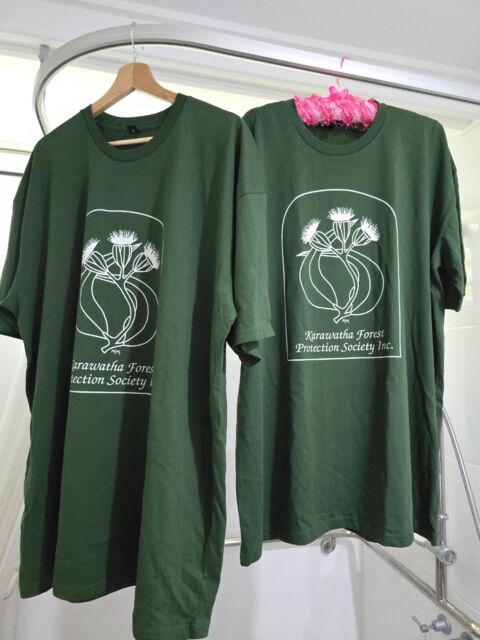
For simple jobs, place your order online. For larger or more detailed orders, contact Custom T Shirt Printing Online for a tailored quote. Call 0422 440 029 or visit https://customtshirtprintingonline.com.au/
Get a Quote for Screen PrintingYou can place a straightforward screen printing order through the online shopping cart or request a tailored quote for a larger or more complex job. The right ordering method depends on the number of shirts, garment style, artwork, print locations, required completion date and whether you need help planning the order.
Request a screen printing quote when your order includes larger quantities, several garment styles, multiple print locations, special sizing requirements or artwork that needs checking. A tailored quote confirms the important production details before printing and reduces the risk of incorrect garments, unsuitable artwork or unexpected delays.
Send the required quantity, garment type, shirt colour, size breakdown, print locations, approximate print dimensions, artwork file and delivery deadline. You should also confirm whether the completed shirts will be collected or shipped. Providing complete information allows Custom T Shirt Printing Online to recommend a suitable printing plan and prepare a more accurate quote.
Vector artwork supplied as an EPS, AI or print ready PDF is normally preferred for screen printing because it can be resized without losing clarity. High resolution PNG files may also be suitable for some designs. Send the artwork you have so it can be reviewed before the order moves into production.
Yes. Screen printed shirts can include designs on the front, back, sleeves or other suitable garment locations. Each additional print area can affect setup, production requirements and total investment, so all placements and approximate print sizes should be confirmed during the quoting process.
Screen printing turnaround times depend on the order quantity, garment availability, artwork readiness, mockup approval and current production scheduling. After the quote, artwork mockup and payment have been approved, standard delivery is generally around three weeks. Orders with fixed event dates should be discussed before placing the order.
After you approve the quote, a digital mockup is prepared showing the proposed artwork size and print position. Once you approve the mockup and complete payment, the job is scheduled for production. The finished shirts are then checked before being prepared for collection or dispatch.
Yes. Choosing the wrong garment can affect comfort, print appearance, durability and the overall order investment. Custom T Shirt Printing Online can recommend suitable shirts for staff uniforms, events, promotions, clubs, workwear or community groups based on your budget and intended use.
Brisbane pickup and Australia wide shipping options can be discussed when requesting your quote. Confirming your preferred delivery method early helps determine the correct production deadline and reduces the risk of your shirts arriving after your event or required date.
Need help planning your screen printed shirt order? Contact Custom T Shirt Printing Online on 0422 442 029. We can review your quantity, garments, artwork, print locations and deadline before preparing a tailored quote.
Choosing garments, screen print sizes, artwork files and ordering options without professional advice can lead to poor print results, incorrect sizing and unnecessary costs. Custom T Shirt Printing Online guides customers across Brisbane and Australia through each decision before production begins. We assess your shirt quantity, garment type, artwork, print position, required dimensions, budget and deadline so your screen printed shirts are suitable for their intended use.
Call 0422 440 029 or visit Custom T Shirt Printing Online to request a tailored screen printing quote or place a straightforward order online.
Still deciding whether screen printing is the right method? Read our Custom Apparel Decision Guide to compare screen printing with other decoration methods, understand suitable garment choices and select the correct ordering path before production.
Choosing the wrong printing method, quantity or turnaround option can increase costs and affect the final result. Use the screen printing resources below to compare pricing, understand the process and plan your custom T shirt order correctly.
Screen printed shirts are easier to order when the pricing, artwork requirements, printing process and delivery timeframe are confirmed before production begins.
